
When your team is remote or hybrid, the channel you choose matters as much as the message. Using the wrong one creates delays, confusion or interruptions.
A quick decision guide
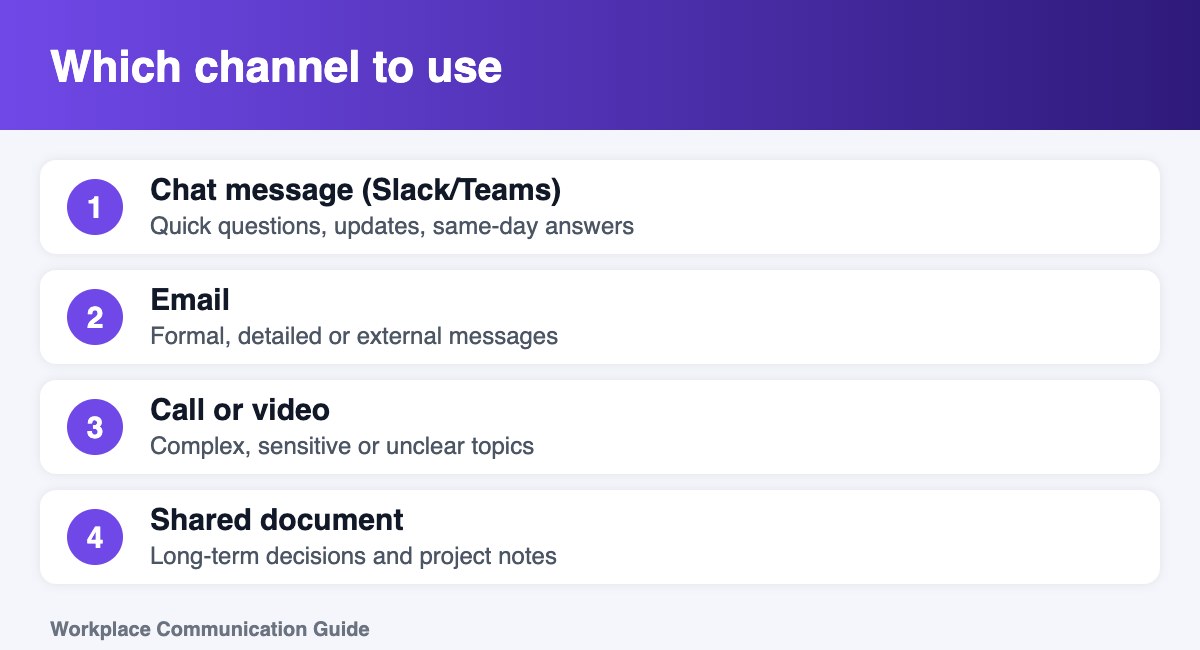
- Chat (Slack, Teams): quick questions, time-sensitive coordination, informal updates
- Email: formal requests, external contacts, anything needing a record
- Video call: complex topics, sensitive feedback, brainstorming, relationship building
- Shared document: anything several people will edit or refer to later
Writing for remote readers
- Put the ask first, then the context
- Include deadlines with time zones
- Use threads to keep conversations organized
- Avoid “Do you have a minute?” with no detail. Say what you need.
Time zones and availability
State working hours in your profile and calendar. When scheduling, offer two or three options and name the time zone. Use asynchronous updates, such as a short written summary, when meetings would be hard to schedule.
Building trust when you rarely meet
- Respond within a reasonable window and say when you will respond if you cannot right now
- Share progress without being asked
- Acknowledge messages, even with a quick “Got it”
- Turn the camera on for important conversations when possible
When tone gets lost
Text can sound harsher than intended. Add context: “Quick question, no rush.” If a thread becomes tense, move to a call. Resolve it with a short follow-up message afterward.
Template: a clear async update
Update: Landing page draft is done. Next: review with Priya on Thursday. Blocker: waiting on final logo files. Need from you: confirm the headline by end of day Wednesday (ET).
Why remote communication needs extra care
In an office, you pick up tone from faces, hallway chats and small signals. When you work remotely or in a hybrid team, almost everything goes through text, so small misunderstandings can grow. The fix is not more messages. It is clearer messages sent through the right channel at the right time.
Channel guide
Rules for chat messages
- Write a full message instead of just “Hi” or “Got a minute?”
- Put the question and the context in one message.
- Use threads to keep topics tidy.
- State the deadline: “by 3 pm today.”
- Do not expect an instant answer unless you said it was urgent.
Rules for email in remote teams
- Use a clear subject line.
- Lead with the action you need.
- Keep it to one topic per email.
- Summarize long threads before you forward them.
When to jump on a call
If a thread has more than three replies and still has no answer, move to a five-minute call. Tone, urgency and sensitive feedback are easier to handle in voice or video. After the call, write a short summary of what you agreed so there is a written record.
Working across time zones
- Share your working hours and time zone in your profile.
- Use “by 5 pm Eastern” instead of “by end of day.”
- Write messages that can be answered without a follow-up question.
- Record decisions in a shared place so nobody has to ask what happened.
- Rotate meeting times so one group does not always take the late slot.
Show you are reliable
Remote teams run on trust. Reply to messages within your stated window, update your status when you are away, and tell people early if a deadline is at risk. Over-communicating progress, such as a short end-of-day note, builds confidence without needing constant meetings.
Remote communication template: weekly update
Subject: Weekly update: Jordan
Done: Finished the newsletter draft; sent the Q4 summary.
Next: Start the spring campaign brief; review vendor quotes.
Blockers: Need final pricing from Sam by Wednesday.
Thanks,
Jordan
Frequently asked questions
How quickly should I reply to messages?
Agree on norms with your team. A common approach is within a few hours for chat and one business day for email.
Should I turn my camera on?
Follow team norms. Cameras on for small discussions and off for large webinars is common.
How do I avoid misunderstandings in text?
Be direct, add a friendly line, avoid sarcasm and ask a clarifying question when something sounds off.
See also: meeting agenda template, how to say no at work and professional email templates.
Remote work communication habits that build trust
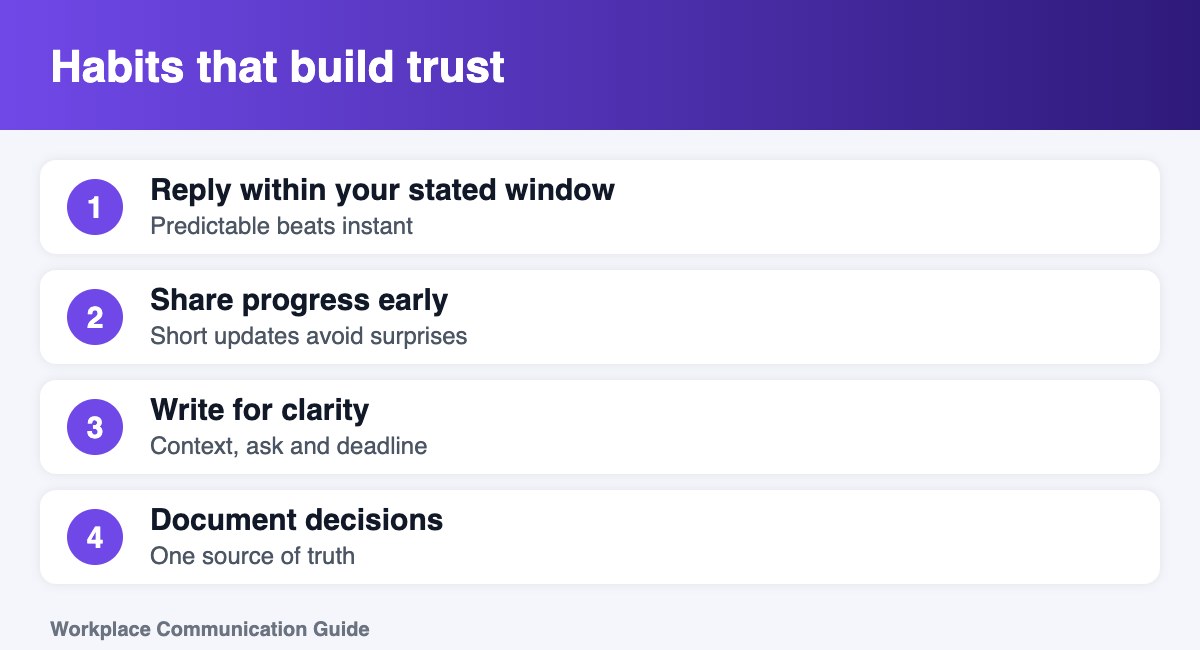
Good remote work communication is mostly about habits. For example, a short daily or weekly update reduces the need for check-in calls. Moreover, it helps your manager see progress without asking. Similarly, a clear message with context, an ask and a deadline saves everyone a round of questions.
Write messages that stand alone
When you cannot see the other person, a message must make sense without extra explanation. Therefore, include the background, the specific question and the date you need an answer. Because people read messages between meetings, this format helps them respond quickly.
Keep a written record
Decisions made on a call disappear unless someone writes them down. After each call, post a three-line summary in the team channel. As a result, people who missed the call can catch up, and everyone has the same version of events.
Be thoughtful about tone
Text can sound colder than you intend. Consequently, add a friendly opener or a thank-you line, especially when you give feedback or ask for something. An emoji or a short “thanks, this helps” can make a big difference on teams that use chat.
Tips for hybrid teams
- Share decisions in writing so people at home and in the office have the same information.
- In addition, hold important discussions in a channel everyone can read.
- Avoid side conversations that exclude remote colleagues.
- Rotate in-person and remote meeting times.
- Finally, ask people how they prefer to be contacted.
A simple remote communication checklist
To finish, review your own habits. Do you reply within the window your team expects? Do your messages include context, an ask and a deadline? Do you share decisions in writing? Furthermore, do you tell people early when something might slip? If you answered no to any of these, start with that one habit this week. Small changes, repeated consistently, make remote communication feel natural.
