

Most people spend minutes on the first lines of a message and seconds on the last two. That is a mistake. Knowing how to end a professional email well can decide whether you get a quick reply, a polite brush-off or no answer at all. The ending tells the reader what to do next, and it leaves a final impression of how organized and respectful you are.
Quick answer: End a professional email with one short closing line, a sign-off such as “Best regards” or “Thanks,” and your name. “Best,” fits most situations, “Sincerely” suits formal letters, and “Thanks” works when you are asking for something.
This guide shows you a simple formula for ending a professional email, 25 professional email sign-offs grouped by tone, examples for common situations, and the mistakes that make good emails fall flat. You can copy everything here and adjust the names and dates.
Why how to end a professional email matters
Readers tend to remember the beginning and the end of a message best. If your closing is vague, the reader finishes the email and still does not know what you want. If it is clear and courteous, they know the next step and feel good about replying.
- It drives action. A closing line that names a task and a date gets answered faster than “let me know.”
- It sets the tone. A warm sign-off softens a firm request, and a formal one adds respect to a sensitive message.
- It protects relationships. Small courtesies add up, especially in email, where tone is easy to misread.
The simple formula for ending a professional email
Every strong ending has three parts. You can write all three in two or three lines.
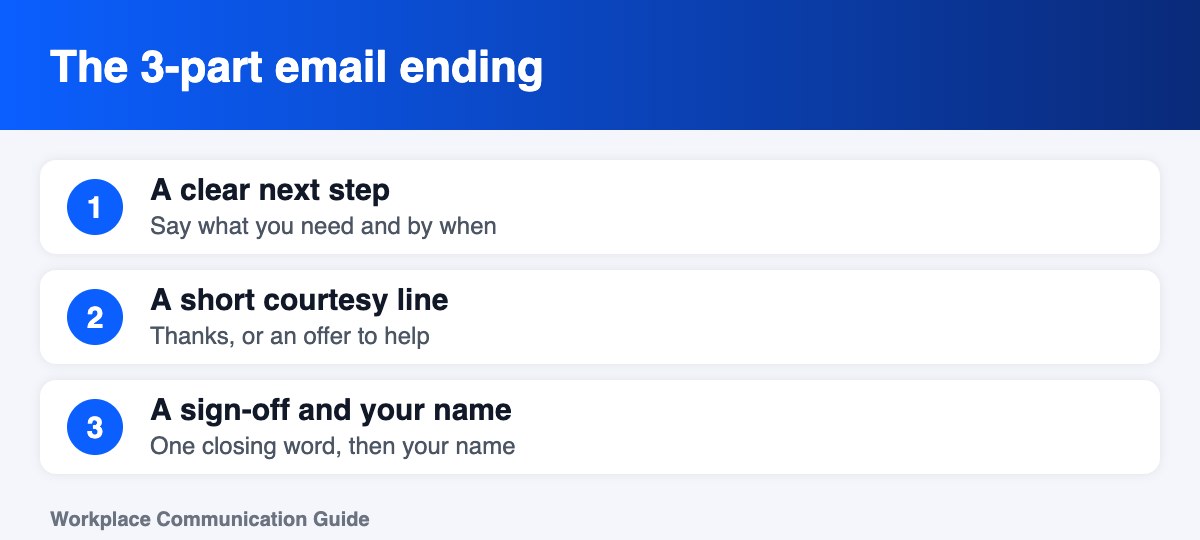
1. A clear next step
Say what you need, and by when. Replace vague closers like “Let me know your thoughts” with something specific: “Could you confirm the budget by Thursday afternoon?” A date gives the reader a reason to act now instead of later.
2. A short courtesy line
Add one line of thanks or an offer to help. Examples: “Thanks for your help,” “I appreciate your time,” or “Happy to talk it through if that is easier.” Keep it genuine. If you are delivering bad news, “Thanks for your patience” or “Let me know if you have questions” fits better than “Thanks in advance.”
3. The sign-off and your name
Choose one closing word or phrase, add a comma, and put your name on the next line. In an ongoing thread, your first name is enough. For a first message or a formal contact, add your full name, title and company in a short signature.
Could you send me the final numbers by Thursday afternoon? That will let me finish the report before Friday.
Thanks for your help.
Best,
Jordan Lee
25 professional email sign-offs (grouped by tone)
The best sign-off matches your relationship and the situation. Use the groups below as a quick menu.
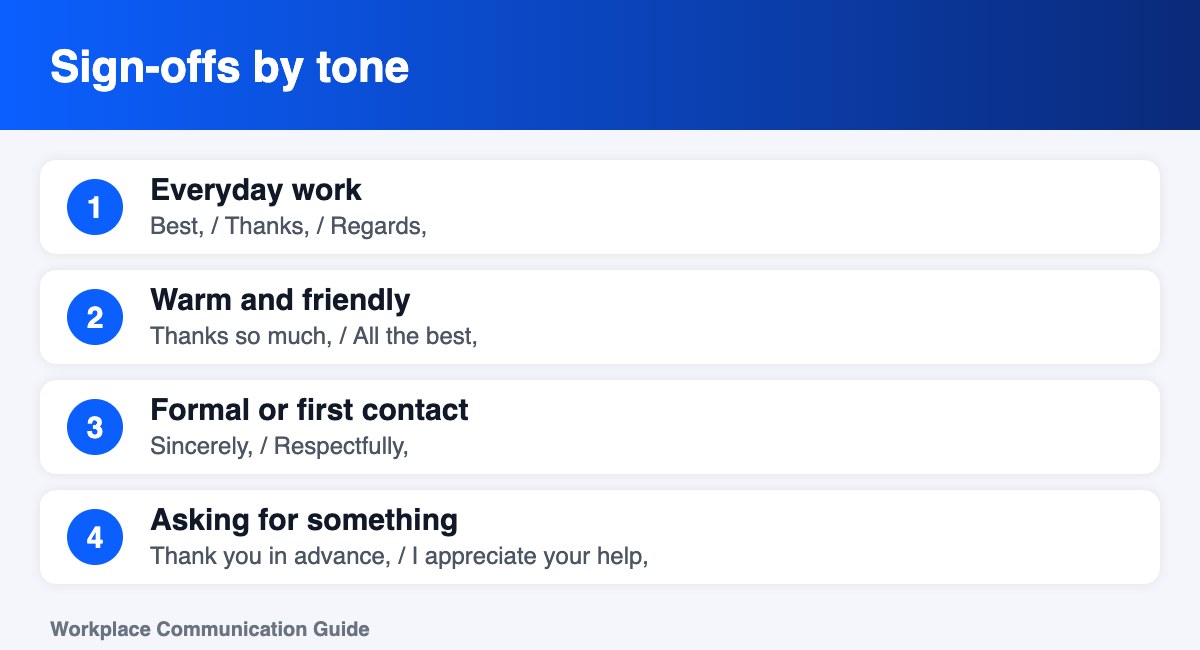
Safe for almost every work email
- Best,
- Best regards,
- Kind regards,
- Regards,
- Thanks,
If you are unsure, “Best,” and “Best regards,” work nearly everywhere. They are friendly, neutral and widely accepted in US workplaces.
Warm but still professional
- Thanks so much,
- With thanks,
- Warm regards,
- Many thanks,
- All the best,
Use these with colleagues you know, clients you have worked with before, or when someone has done you a favor.
Formal (senior leaders, legal, first contact)
- Sincerely,
- Respectfully,
- Yours sincerely,
- Yours faithfully, (when you do not know the name)
- With appreciation,
Formal closings suit cover letters, applications, complaints, and messages to people far above you in the organization.
When you are asking for something
- Thank you in advance,
- I appreciate your help,
- Thanks for considering this,
- Thank you for your time,
- Grateful for your help,
Be careful with “Thank you in advance.” Some readers think it assumes a yes. If the request is big, try “Thank you for considering this” instead.
When you are following up
- Looking forward to hearing from you,
- Let me know if any of this is unclear,
- Happy to talk it through,
- Hope this helps,
- Let me know how I can help,
Examples for common situations
Asking for a deadline update
Could you confirm whether the draft will be ready by Friday? If not, tell me what you need and I will adjust the schedule.
Thanks,
Jordan
Sending a file or report
I have attached the Q4 summary. The key numbers are on page two. Let me know if you would like me to walk you through it.
Best regards,
Jordan Lee
Declining politely
Thank you for thinking of me. I will not be able to take this on right now, but I hope it goes well.
All the best,
Jordan
First email to a stranger
Thank you for taking the time to read this. I would be grateful for any advice you can share.
Sincerely,
Jordan Lee
Marketing Coordinator | Northwind Co.
Following up after a meeting
Thank you for the productive meeting today. I will send the action list by end of day tomorrow.
Best,
Jordan
Sign-offs to avoid when you end a professional email
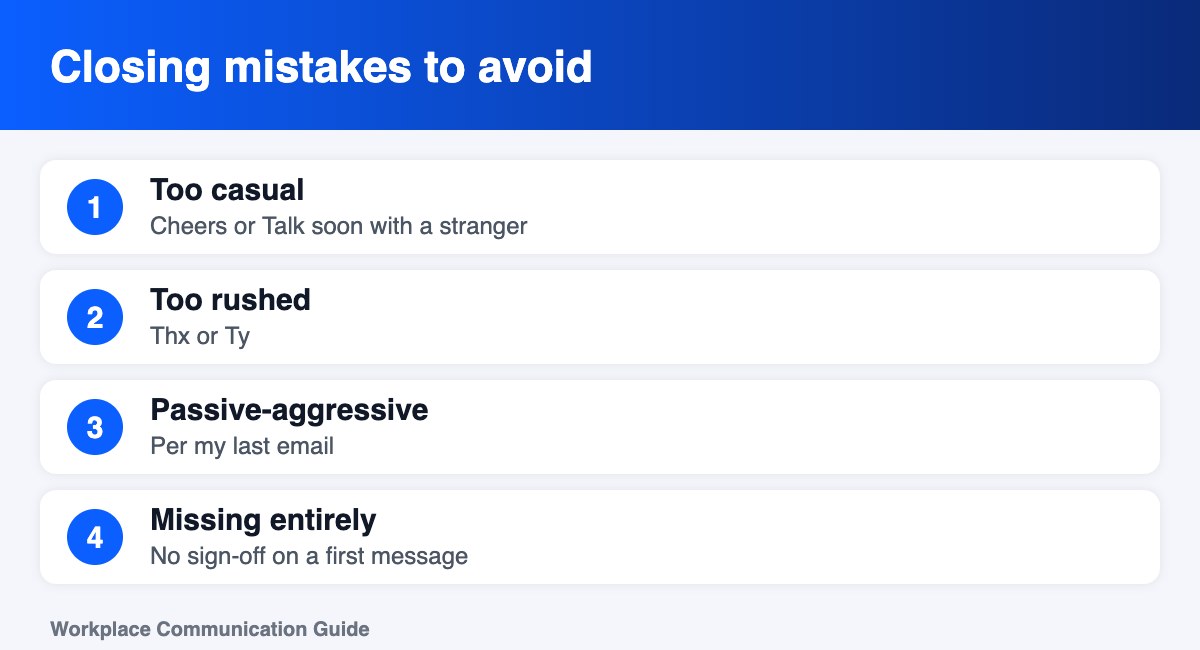
- “Cheers” or “Talk soon” with someone you have never met. It reads as too casual for a first contact.
- “Thx” or “Ty.” These look rushed and can seem dismissive.
- “Per my last email.” It is often read as passive-aggressive. Try “As mentioned on Tuesday” or just restate the point.
- “Sent from my phone” as your only signature. It can look careless on formal messages.
- No sign-off on a first message. Short is fine, but a missing closing feels abrupt.
- A long apology. “Sorry for the long email” shifts attention away from your message.
How to end a professional email: choose in ten seconds
Ask three questions: Do I know this person? Is this message routine or sensitive? Is there a hierarchy? If the answers are “yes, routine, no,” use “Thanks,” or “Best,”. If the answers are “no, sensitive, yes,” use “Sincerely,” or “Best regards,” and add your title.
Another easy rule is to mirror the other person. If your manager signs “Thanks,” you can too. If a client signs “Kind regards,” match that tone in your reply.
Email signature basics
Your signature appears under the sign-off. Keep it short and consistent:
- Full name
- Job title and company
- One phone number or contact link
- Optional: a link to your professional profile
- No quotes, images or long legal footers on routine messages
How to end a professional email: sign-off quick reference
| Situation | Best sign-off | Why it works |
|---|---|---|
| Writing to a manager or client | Best regards | Polite, warm and widely accepted |
| Writing to a close colleague | Best, or Thanks | Friendly without being stiff |
| Cover letter or formal request | Sincerely | Traditional and respectful |
| Asking for a favour or action | Thank you | Shows appreciation up front |
| Email to a senior executive | Kind regards | Courteous and professional |
| Quick internal reply | Thanks | Short and natural |
Expert tips on how to end a professional email
- Match the other person’s level of formality. If they sign “Best,” you can too.
- Use a closing line that states the next step. For example, “I will send the draft by Friday.”
- Be careful with “Thanks in advance.” Some readers find it presumptuous, so “Thank you for your help” is safer.
- Check your signature on mobile. Keep it to four lines: name, title, company and one contact method.
- Stay consistent. Pick two or three sign-offs and use them reliably so your tone feels steady.
Reading your email aloud before you send it is the fastest way to spot a closing that feels too cold or too casual.
Frequently asked questions about how to end a professional email
Is “Best regards” too formal?
No. It is one of the most widely accepted endings. It works for nearly every professional email, from a note to a colleague to a message to a client.
Should there be a comma after the sign-off?
Yes. Write the closing word followed by a comma, then your name on the next line, for example “Best,” then “Jordan.”
Do I need to say thank you at the end of every email?
No. Only say it when it fits. When you are asking for help, thank them. When you are delivering news, a line like “Let me know if you have questions” works better.
Is it okay to use “Cheers”?
It depends on the culture. In the US it can feel casual. It is fine with colleagues you know well and less ideal for first contact or formal topics.
Should I use “Sincerely” for every email?
Not usually. It is formal and best for cover letters, complaints and messages to senior leaders.
Put it all together: a ready-to-use example
Subject: Confirmation needed: client presentation on Friday
Hi Maria,
I am finalizing the slides for Friday’s client presentation. Could you confirm by Wednesday at noon whether the pricing page is final?
Thank you for your help.
Best,
Jordan Lee
Marketing Coordinator | Northwind Co.
Keep learning
Next, read our guide to professional email format and how to start a professional email. For ready-made messages, see 10 professional email templates. If a message needs a firm no, learn how to say no at work politely.
Quick recap: end with a clear next step, a short courtesy line, and a sign-off that matches your relationship. Keep it simple, keep it kind, and always name the date you need a reply.
How to end a professional email: a quick checklist
First, remember that how to end a professional email comes down to three choices: the next step, the courtesy line and the sign-off. However, many people skip the first one, so their message ends without a clear action. For example, “Could you confirm by Thursday?” works better than “Let me know.”
- Therefore, name the next step and the date before you sign off.
- In addition, match your sign-off to the reader, as shown in the chart above.
- Also, keep the closing to two or three lines so the reader notices it.
- Finally, proofread the name and the date before you send.
In short, learning how to end a professional email takes a few minutes, and it pays off every time you write. Because the ending is the last thing people read, a clear closing makes your whole message feel more professional.
